
RTBS Tip: Managing tabs on your RTBS account
Are you seeing new tabs popping up when you click on an RTBS menu item?

Did you know that you can easily stop new tabs opening up by simply going into:
- Setup Your Business > Operator Setup > Operator ID > Click on your business name link > Display Settings
Untick the 'Open Pages in New Tab' box to stop new tabs opening up when you on a menu item.
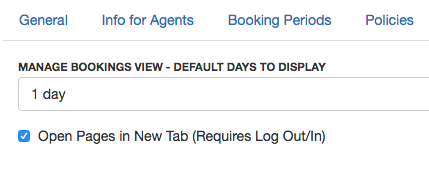
Finally, log out and back in again to see the applied changes.
